Coffee Shop: Enhancing Mobile and Web Design Workflows
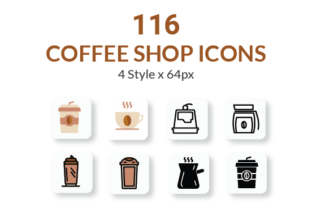
Designing a mobile or website project involves countless details, from wireframing to final implementation. One often overlooked but crucial element is the use of icons. Whether you're building a coffee shop app or a website that showcases cafe culture, having a cohesive and scalable icon set can streamline your design process and elevate the user experience. The Coffee Shop icon pack, with its 116 icons across four distinct styles—Line, Solid, Flat, and Filled—offers a versatile and practical solution for modern designers.
Integrating Icon Design into Your Workflow
Icons are more than just decorative elements; they serve as visual cues that guide users through an interface. In the context of a coffee shop app or website, icons help users quickly identify features like menu options, order status, location, and payment methods. The Coffee Shop icon set is designed to fit seamlessly into both the planning and execution phases of a project.
Before diving into development, designers can use these icons during the prototyping stage to visualize the interface and test usability. During the design phase, the icons' compatibility with Figma, Adobe XD, and Sketch allows for easy drag-and-drop integration. And in the final stages, the inclusion of SVG, PNG, and EPS formats ensures that the icons scale beautifully across devices and platforms.
Choosing the Right Style for Your Project
The four included styles—Line, Solid, Flat, and Filled—give designers flexibility depending on the aesthetic and functional needs of the project. Line icons work well for minimalist interfaces, while solid icons provide a bold presence. Flat and filled icons are ideal for apps that require a modern, clean look while maintaining visual weight.
- Line icons: best for light themes and subtle navigation cues
- Solid icons: ideal for high-contrast interfaces and call-to-action buttons
- Flat icons: perfect for modern, minimalist design systems
- Filled icons: useful for highlighting active states or selected options
Each style is pixel-perfect and consistent in design language, ensuring that your interface feels unified and professionally crafted.
Customization and Compatibility Across Tools
One of the key advantages of the Coffee Shop icon set is its high customizability. Designers can adjust color, size, and stroke width to match brand guidelines or interface requirements. This level of control is essential when maintaining design consistency across multiple platforms and devices.
Whether you're working in Figma for collaborative design, Adobe XD for interactive prototypes, or Sketch for detailed UI components, these icons integrate smoothly. For those who prefer vector editing or need to make detailed adjustments, the Adobe Illustrator project file is included, allowing for full customization at the source level.
Using Icons in Different Project Stages
Icon integration isn't limited to the design phase. These icons can be used throughout the project lifecycle:
- Planning: use icons in wireframes to represent features and navigation elements
- Design: incorporate them into mockups and prototypes to refine layout and usability
- Development: export optimized SVG or PNG files for use in front-end code
- Post-launch: update or replace icons as needed without disrupting the overall design system
This end-to-end compatibility makes the Coffee Shop icon set a valuable asset for any mobile or web project.
Practical Implementation Tips
To get the most out of the icon set, consider the following implementation strategies:
- Organize icons by function: group related icons together for easier access and consistency
- Use a design system: define rules for icon usage, such as size, color, and spacing
- Test for scalability: ensure icons remain legible at different screen sizes and resolutions
- Optimize for performance: use SVGs for responsive design and PNGs where needed for compatibility
By embedding these practices into your workflow, you'll not only improve efficiency but also maintain a high standard of design quality throughout the project.
Ensuring Consistency Across Platforms
Consistency is key when designing for multiple platforms. The Coffee Shop icon set is built with uniformity in mind—each icon follows the same grid, stroke width, and visual language. This consistency helps maintain a professional look whether the icons are used on a mobile app, website, or printed marketing material.
When exporting icons for different platforms, it's important to preserve this consistency. Use the included SVG files for web and app use, and PNG or EPS for print and presentations. This ensures that your visual identity remains cohesive across all touchpoints.
Long-Term Use and Maintenance
Design assets should be viewed as long-term investments. The Coffee Shop icon set is designed with scalability and longevity in mind. As your app or website evolves, the ability to update and repurpose icons without starting from scratch can save time and resources.
Consider versioning your icon usage—keep a master file in Adobe Illustrator for future edits, and maintain a library of exported assets for immediate use. This approach not only streamlines updates but also supports efficient team collaboration.
Conclusion: A Practical Tool for Real Workflows
In the broader context of mobile and web design, icons may seem like a small detail, but they play a significant role in usability and aesthetics. The Coffee Shop icon set offers a practical, scalable solution that integrates smoothly into real-world design workflows. Whether you're a professional designer, a startup founder, or a solo creator, these icons can help you build more intuitive and visually appealing interfaces with less effort.
By choosing a well-structured, customizable, and compatible icon set, you're investing in a tool that supports both the creative and technical aspects of your project. From early-stage prototyping to final implementation and long-term maintenance, the Coffee Shop icon set is designed to fit naturally into your process—helping you deliver polished, user-friendly experiences with confidence.